
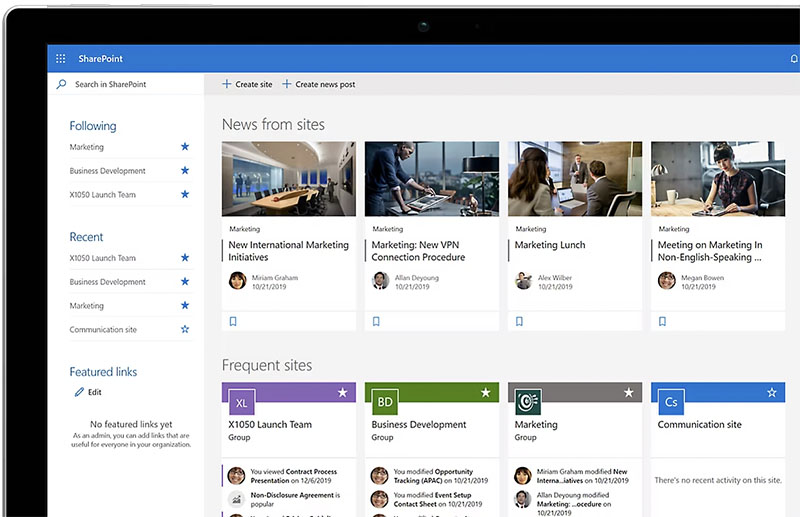
Calgary organizations use SharePoint to manage documents, coordinate distributed teams, and build the internal systems that keep complex operations running. Whether you’re a first-time user finding your way around or a site owner responsible for configuring an environment for your team, our courses give you the practical skills to work effectively.

The SharePoint training was a game-changer for our team. The instructor explained everything clearly and gave us practical examples. We work better as a team now and save time. We highly recommend it.
Calgary professionals moving into or working within a SharePoint environment will get the practical orientation they need here. Site navigation, document management, team collaboration, Microsoft 365 integration -- the skills that let you contribute effectively from day one in SharePoint.
Calgary SharePoint site owners responsible for configuring and maintaining environments for their teams will build the skills to do it properly. Permissions, feature configuration, content structure, and workflows -- the knowledge to build a SharePoint environment that actually serves Calgary organizational needs.
This course is designed for anyone who uses SharePoint in their organization — from everyday users to site owners and administrators. It’s especially valuable for teams that need to improve collaboration, document management, and workflow efficiency.
• Navigate the SharePoint interface with confidence
• Store, share, and organize documents securely
• Create team sites, libraries, and lists
• Use SharePoint for collaboration, project tracking, and communication
• Integrate SharePoint with Microsoft 365 tools like Teams and Outlook
Yes. Participants receive a Certificate of Completion upon request, demonstrating their ability to use SharePoint effectively in the workplace.
No. The course is perfectfor beginners and office staff who have never used SharePoint before. For more advanced users, we also offer SharePoint Owner sessions covering site administration, workflows, and permissions.
We typically train in SharePoint Online (part of Microsoft 365). If your organization uses an on-premise version (e.g., SharePoint 2019), we can adapt the training to match your environment.
• Save time by reducing confusion around file storage and sharing
• Improve team collaboration and communication
• Ensure documents are secure and version-controlled
• Streamline workflows and make information easier to find
• Boost productivity by integrating SharePoint with the wider Microsoft 365 suite
The training is highly interactive, with a mix of demonstrations and hands-on practice. You’ll work directly in SharePoint and complete real-world exercises to ensure you can apply the skills immediately.
Our standard SharePoint user training runs as a one-day course. However, we also offer half-day introductions, multi-day advanced sessions, and custom workshops tailored to your team’s needs.
At Training Calgary, we help professionals build the skills that make work easier, faster, and more impactful. Our courses combine expert instruction with real-world projects so you can immediately apply what you learn.
Whether you’re creating stunning designs, managing complex projects, analyzing data, or producing compelling content, our goal is simple: to help you work smarter, not harder.
We are proud to be a Canadian company.

You can expect your instructor to be helpful and engaging. Your Microsoft SharePoint training will be hands-on, right from the start, and your day lasts about 7 hours including breaks and lunch. You will get lots of practice with the basics so you can be confident diving into projects back in the office. Your Microsoft SharePoint training is structured so that you understand and remember the lessons learned.
You will work on practical exercises—learning new skills and professional techniques that you will use in your own real-world projects. You will meet attendees who are like-minded people pursuing similar goals. You can expect lively Q&As. We hope you’ll ask all the questions you want. Please let us know before the event if you have any special requests or challenges.
» Cancellations made within 48 hours of the start time are not eligible for a refund and may not be rescheduled.
» We are not able to offer refunds or rescheduling for no-shows or uncompleted courses.
» There is no charge for rescheduling when you inform us at least 3 days before the course.
» An administration fee of $35 per person is charged when rescheduling less than 3 days before a course.
» Student substitutions are free. If you cannot take a course maybe your colleague can. Just let us know.
» It is rare that classes do not run as scheduled but we do reserve the right to reschedule previously confirmed classes.


