
Calgary organizations whose data management needs have grown beyond what spreadsheets can handle will find Microsoft Access is the right next step. Build structured databases that manage complexity, automate repetitive data work, and generate reports that communicate clearly — without writing code. Our courses develop Calgary professionals at every level of database experience.

This training gave me skills that save hours of work and make my job so much easier. Warren broke everything down step by step, and now I use Access every day to organize and analyze data.
Calgary organizations whose data complexity has outgrown spreadsheets will find Access is the right next step. This comprehensive course covers database design, tables, relationships, queries, and reports -- everything needed to build and manage real databases without a technical background.
Calgary Access users ready to build more sophisticated database solutions will cover intermediate-to-advanced skills here. Complex relational structures, action queries, database maintenance, advanced forms and reports -- the capabilities required when your Calgary organization's data needs to do more.
This course shows you how to build and manage databases using Microsoft Access. You’ll learn how to organize data, create queries, generate reports, and design user-friendly forms to streamline information management.
• Understanding the Access interface and database concepts
• Creating and linking tables to organize data
• Building queries to search, filter, and analyze information
• Designing forms for easier data entry
• Creating professional reports to share insights
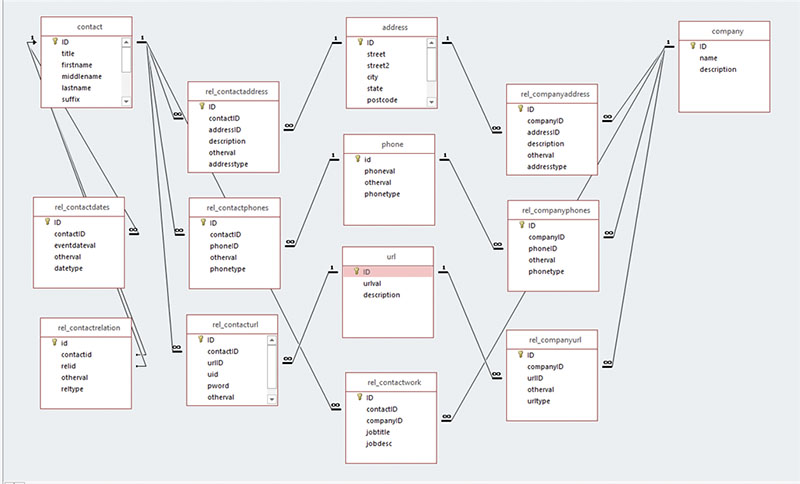
• Understanding relationships between tables
• Tips for managing databases effectively
Yes. We can tailor exercises and examples to your industry or specific database needs, such as tracking projects, managing clients, or reporting financial data.
Anyone who needs to work with structured data: business analysts, administrators, project managers, finance staff, and professionals who want to go beyond Excel for managing large or complex data sets.
An instructor guides you step by step. Each concept is demonstrated, then you practice with hands-on exercises.
We recommend the latest Microsoft Access version included with Office 365, but we can adapt the training to earlier versions if needed.
No. The training starts with the basics of tables, fields, and relationships, then moves on to queries, forms, and reports. More advanced topics can be included for participants with prior experience.
Access Essentials, the beginner course, is a two-day workshop. The Advanced class is a one-day session.
You’ll learn how to transform raw data into meaningful information — making reporting, tracking, and analysis faster, easier, and more reliable than ever.
At Training Calgary, we help professionals build the skills that make work easier, faster, and more impactful. Our courses combine expert instruction with real-world projects so you can immediately apply what you learn.
Whether you’re creating stunning designs, managing complex projects, analyzing data, or producing compelling content, our goal is simple: to help you work smarter, not harder.
We are proud to be a Canadian company.

You can expect your instructor to be helpful and engaging. You can expect to learn relevant tips that will make your work easier. Your Microsoft Access training will be hands-on, right from the start, and your day lasts about 7 hours including breaks and lunch. Your MS Access training is structured so that you understand and remember the lessons learned.
You will work on practical exercises—learning new skills and professional techniques that you will use in your own real-world projects. You will meet attendees who are like-minded people pursuing similar goals. You can expect lively Q&As. We hope you’ll ask all the questions you want. Please let us know before the event if you have any special requests or challenges.
» Cancellations made more than 5 days before a course date qualify for a full refund minus a $35 administration fee per student.
» Cancellations made less than 5 days before a course do not qualify for a refund but the class may be rescheduled.
» Cancellations made within 48 hours of the start time are not eligible for a refund and may not be rescheduled.
» We are not able to offer refunds or rescheduling for no-shows or uncompleted courses.
» There is no charge for rescheduling when you inform us at least 3 days before the course.
» An administration fee of $35 per person is charged when rescheduling less than 3 days before a course.
» Student substitutions are free. If you cannot take a course maybe your colleague can. Just let us know.
» It is rare that classes do not run as scheduled but we do reserve the right to reschedule previously confirmed classes.


